
MTN FibreX in Nigeria: The Complete 2026 Guide Free Installation, Coverage, Pricing & Speed
Thinking of installing MTN FibreX? Learn about free installation, monthly plans, coverage, speeds, eligibility, and how to identify FibreX poles in your neighbourhood.

Dolapo Anifowoshe
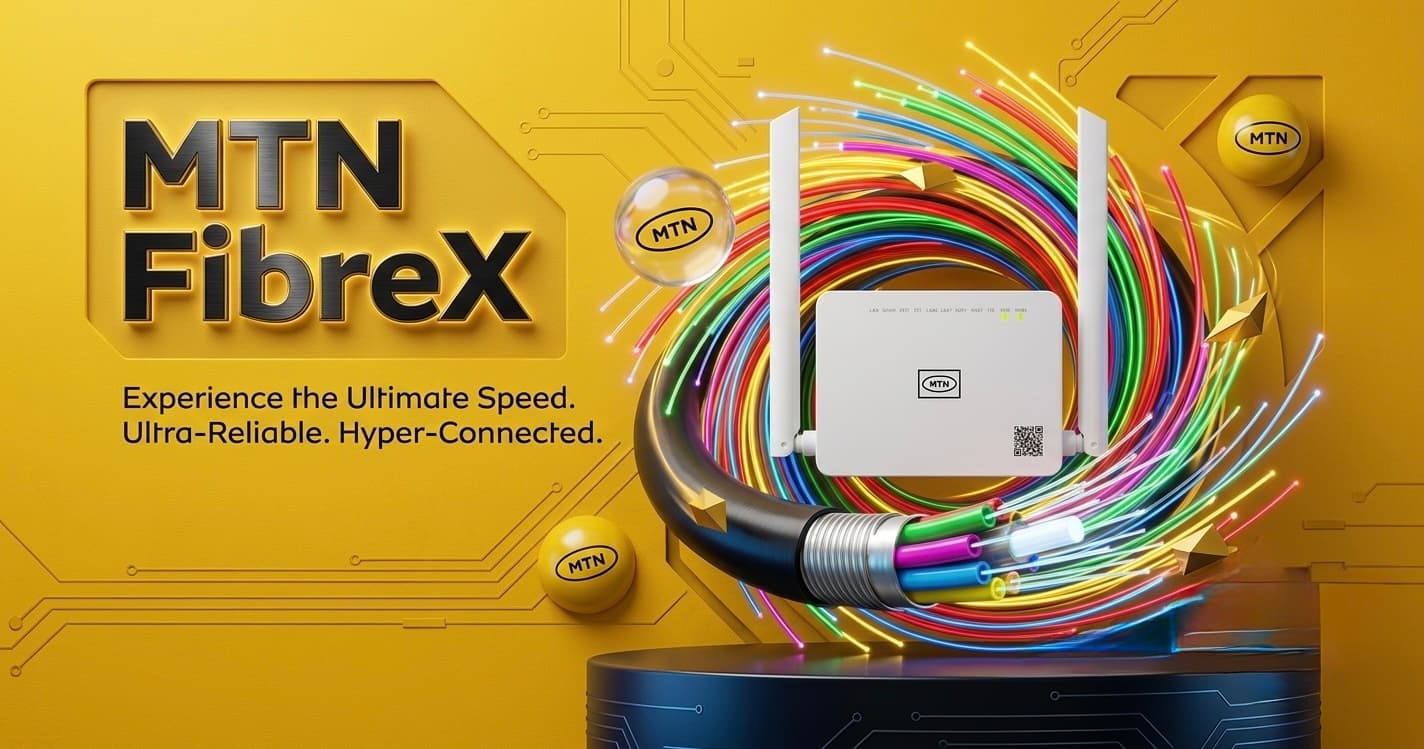
MTN FibreX in Nigeria: Everything You Need to Know Before You Subscribe
If you've been struggling with slow mobile data, expensive data bundles, or unreliable internet for work and streaming, you've probably heard people talking about MTN FibreX.
Unlike a regular MiFi or 5G router that depends on mobile signal strength, MTN FibreX uses fibre optic cables to deliver internet directly to your home. This typically provides lower latency, more consistent speeds, and supports many connected devices at once.
One of the biggest reasons FibreX has become popular is its current promotional offer:
You don't pay an installation fee.
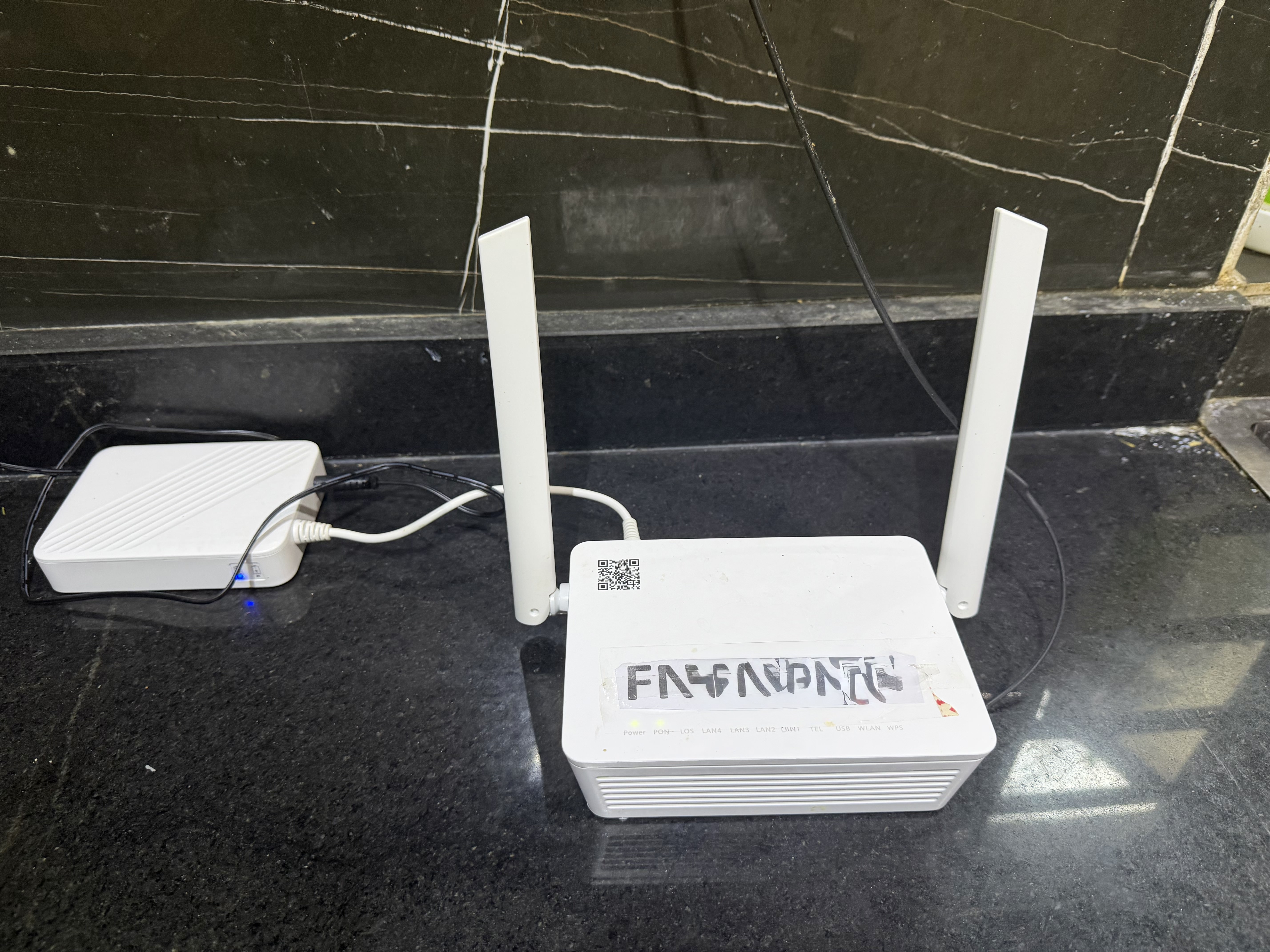
Instead, you pay for your first month's subscription (starting from ₦30,000 depending on the selected plan) and MTN installs the fibre connection and provides the ONT/router on a free-to-use basis if you're eligible. The ONT remains MTN's property and must be returned if the service is cancelled.
What is MTN FibreX?
MTN FibreX is MTN Nigeria's home fibre broadband service.
Instead of receiving internet through a SIM card, technicians run a fiber optic cable from MTN's nearby fibre network into your house.
Benefits include:
Unlimited broadband plans
Stable connection
Lower latency
Multiple devices connected simultaneously
Better experience for streaming, gaming, remote work and online learning
Is Installation Really Free?
Yes currently, eligible customers do not pay a separate installation fee.
Instead:
Pay for your first monthly FibreX subscription
MTN agent visits you and installs the connection
MTN provides the ONT/router on a free-to-use basis
The equipment remains MTN's property and must be returned if you cancel the service or become inactive for an extended period. Damage or loss may attract replacement charges.
How Much Does It Cost?
One of the most popular entry plans starts from around:
₦30,000/month
Higher-speed plans cost more depending on the bandwidth you choose and what is available in your area. MTN also offers higher-tier unlimited plans for heavier users.
Who Should Get FibreX?
MTN FibreX is ideal if you:
Work remotely
Stream Netflix, YouTube or Showmax
Social media streaming (Tiktok, Snapchat, Facebook etc)
Play online games
Attend Zoom or Microsoft Teams meetings
Own Smart TVs
Have multiple people using Wi-Fi simultaneously
Need reliable internet for your business
How to Know if FibreX is Available in Your Area
The easiest way is to check the MTN FibreX availability checker or contact MTN. However, another practical clue is to look around your neighbourhood for MTN Fibre distribution boxes mounted on utility poles.
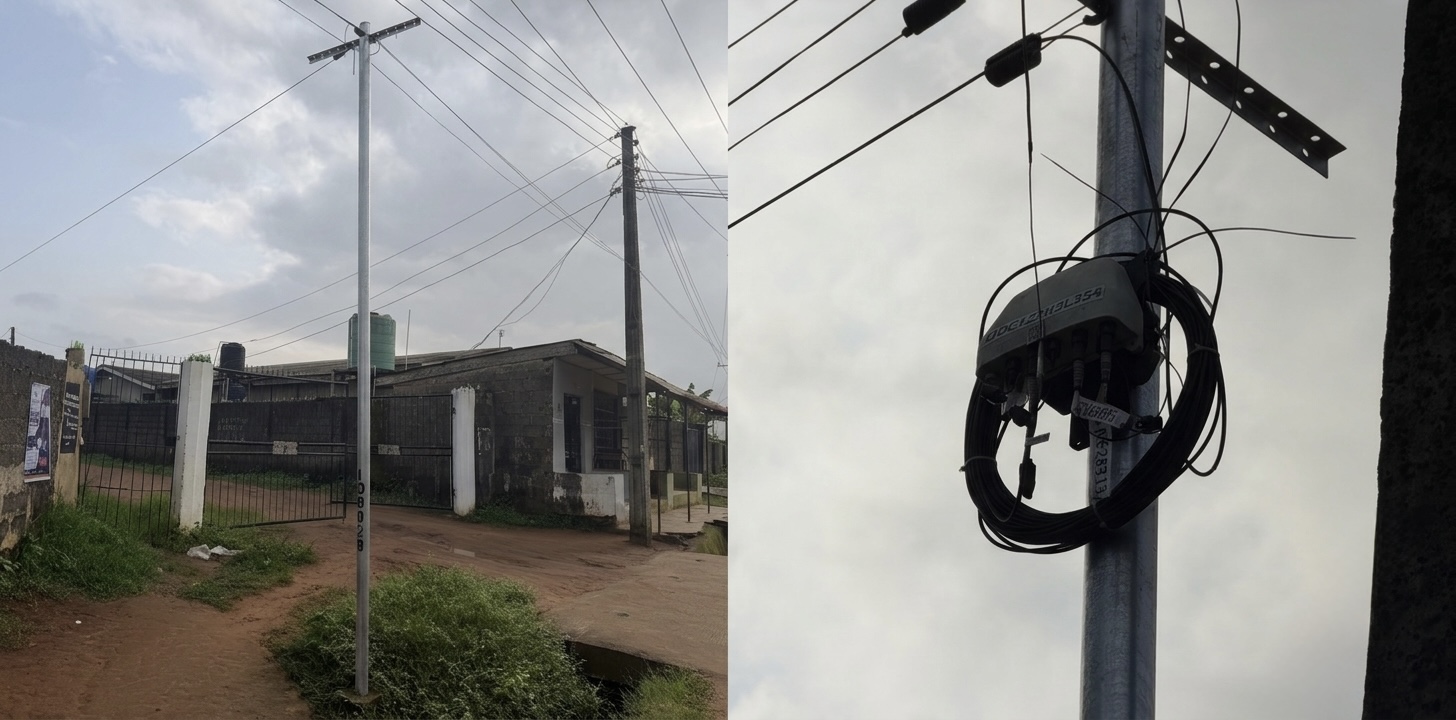
A typical MTN Fibre distribution point mounted on a utility pole. If you see similar equipment in your neighborhood, there's a good chance FibreX infrastructure is nearby. Availability still depends on whether your specific address can be connected.
How Installation Works
The installation process is generally straightforward:
Check availability.
Choose a plan.
Pay the first month's subscription.
An MTN technician schedules a visit.
A fibre cable is run from the nearest distribution point to your house.
The technician installs the ONT/router and activates your service.
How Fast is MTN FibreX?
Speed depends on the plan you choose.
Typical plans range from approximately:
50 Mbps
100 Mbps
150 Mbps
Higher business tiers
Actual performance can vary based on your plan, Wi-Fi setup, and connected devices.
Real-World Performance
Many users report excellent experiences for:
Netflix streaming
YouTube
PS5 gaming
Xbox
Video conferencing
Large downloads
Some users have also reported delays in installation scheduling or occasional service outages, which is common with many broadband providers. Overall experiences vary by location.
How Many Devices Can Connect?
Depending on your router and plan, FibreX can comfortably support:
Smartphones
Smart TVs
Laptops
Tablets
Gaming consoles
CCTV systems
Smart home devices
This makes it suitable for families or small offices.
Advantages
Unlimited plans available
Free installation promotion
Stable internet
Low latency
Good for gaming
Great for remote work
Multiple devices supported
Things to Know Before You Subscribe
Before placing an order:
FibreX is not available everywhere.
Your street may have fibre infrastructure while your exact address is not yet serviceable.
Installation dates depend on technician availability.
The ONT/router is loaned to you and must be returned if required under MTN's terms.
Frequently Asked Questions
Is installation really free?
Yes. During the current promotion, MTN provides installation and a free-to-use ONT/router when you subscribe to an eligible FibreX plan. The first month's subscription is payable upfront.
Do I have to buy a router?
No. MTN supplies an ONT/router for eligible customers under its free-to-use terms. It remains MTN's property.
Can I move the service to another house?
You'll need to contact MTN to confirm whether relocation is possible and whether fibre service is available at the new address.
Can I use FibreX for gaming?
Yes. Fibre connections generally provide lower latency than mobile broadband, making them well-suited for online gaming.
Final Verdict
If FibreX is available in your neighborhood, it is one of the most compelling home internet options currently available in Nigeria. The combination of free installation, a free-to-use ONT/router, unlimited broadband plans, and stable fibre connectivity makes it attractive for families, remote workers, students, gamers, and small businesses.
The biggest limitation is coverage—availability still depends on whether MTN has deployed fibre infrastructure to your address. If you're lucky enough to have FibreX in your area, it can offer a significant improvement over relying solely on mobile data or a traditional MiFi.
Advertisement
Responsive
Related Articles
Samsung Galaxy S26 Ultra Review: The Complete African Experience
We review the Samsung Galaxy S26 Ultra from an African perspective, covering camera performance, battery life, AI features, pricing, gaming, network compatibility, and whether it's worth the premium price in Nigeria
 Dolapo Anifowoshe
WhatsApp Keeps Freezing on iPhone? Here's How to Fix It 2026
Is WhatsApp hanging, freezing, or crashing on your iPhone? Learn the most effective ways to fix slow WhatsApp performance, especially on 64GB and 128GB iPhones running low on storage.
Dolapo Anifowoshe
Best 20,000mAh Power Banks Under ₦20,000 in Nigeria 2026
Looking for a reliable 20,000mAh power bank under ₦20,000? Here are the best affordable options in Nigeria from Oraimo, New Age, Romoss, Itel, and more.
Advertisement
728x90
Comments (0)
Leave a comment
Comments cannot be edited or deleted after posting. Please review your comment before submitting.
No comments yet. Be the first to share your thoughts!