
iPad vs Samsung Galaxy Tab: Which Tablet Should You Buy in Nigeria? 2026 Comparison Guide
Trying to choose between an Apple iPad and a Samsung Galaxy Tab? Compare prices in Naira, performance, battery life, display quality, and discover which tablet is best for students, professionals, artists, and gamers.

Dolapo Anifowoshe

iPad or Samsung Galaxy Tab: Which One Gives You Better Value?
Tablets have become more powerful than ever. Whether you're attending online classes, editing videos, taking notes, drawing, or simply watching Netflix, today's flagship tablets can easily replace a laptop for many people.
But one question keeps coming up:
Should you buy an Apple iPad or a Samsung Galaxy Tab?
Both brands offer excellent devices, but they target different types of users. In this guide, we'll compare performance, displays, software, accessories, battery life, and estimated prices in Nigeria to help you make the right decision.
Performance
Apple iPad
Apple's M-series chips make the iPad one of the fastest tablets available.
Benefits include:
Smooth video editing
4K video rendering
Professional photo editing
Excellent gaming
Long software support
Apps like Final Cut Pro, Logic Pro, Procreate, and LumaFusion are optimized for iPad.
Winner: Apple
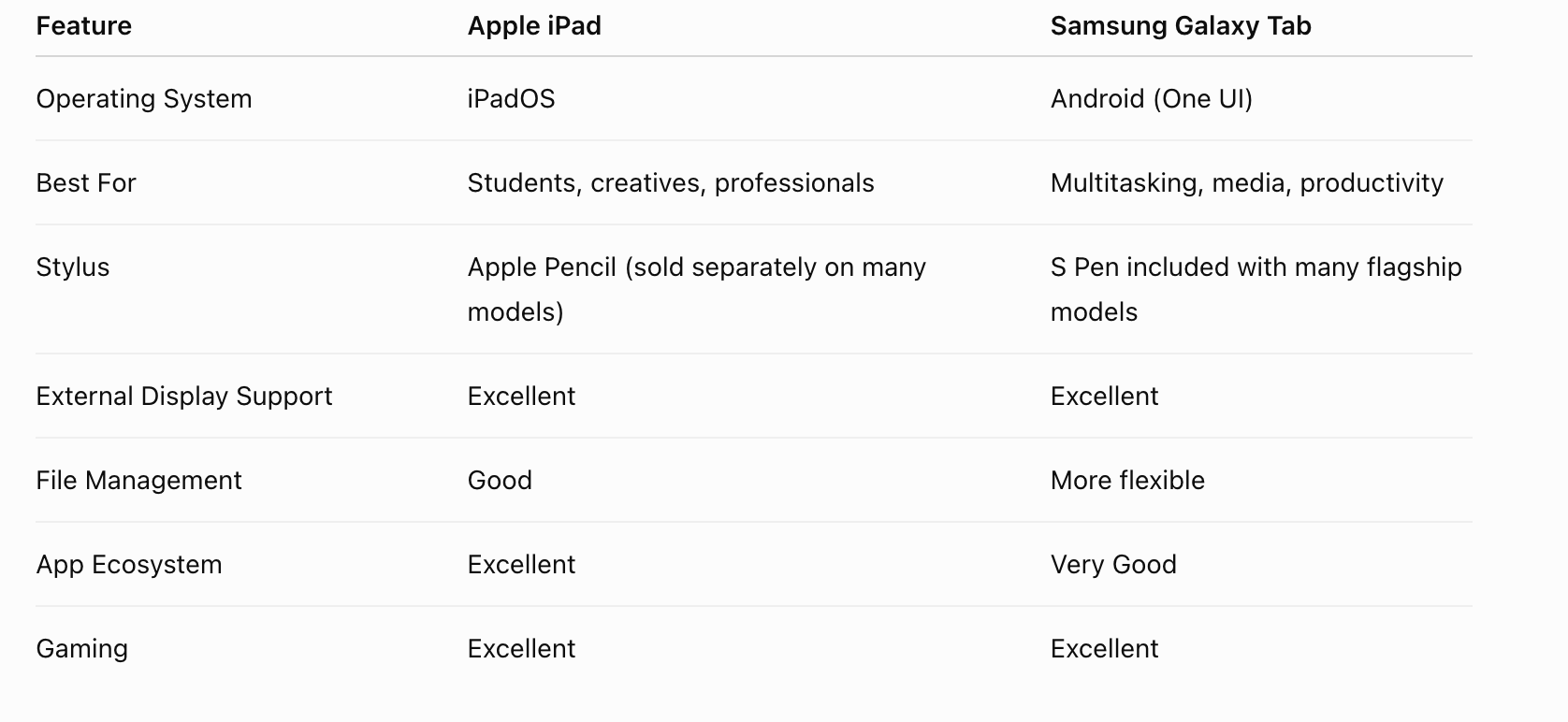
Samsung Galaxy Tab
Samsung's flagship tablets use premium processors that deliver excellent everyday performance.
They're ideal for:
Gaming
Multitasking
Samsung DeX desktop mode
Office work
Watching movies
Performance is excellent, although Apple generally leads in raw processing power.
Display
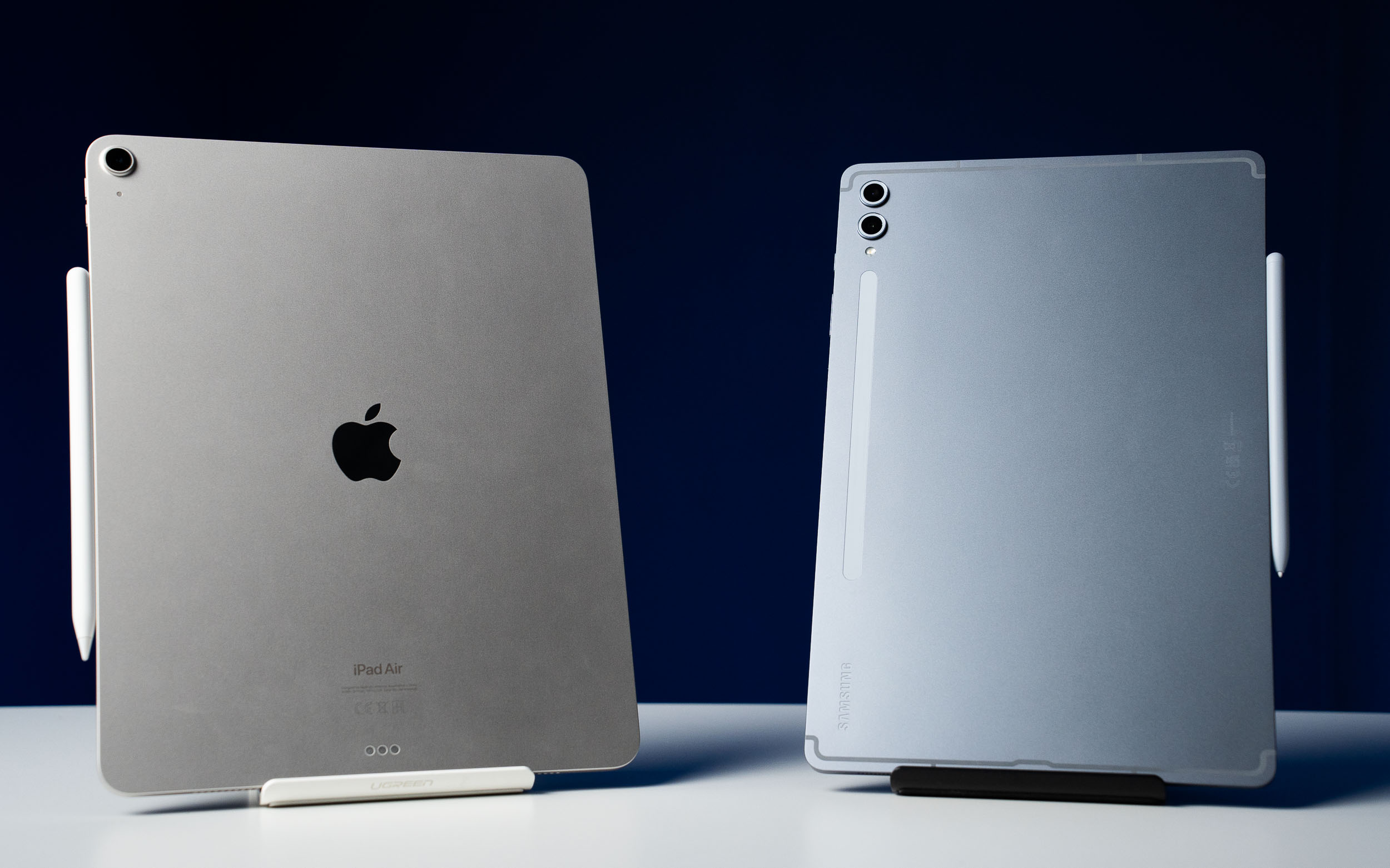
Both companies make outstanding displays.
Apple
Liquid Retina display
Ultra Retina XDR OLED (Pro models)
Excellent color accuracy
Great brightness
Perfect for:
Designers
Photographers
Video editors
Samsung
Samsung is widely recognized for its AMOLED displays.
Advantages:
Deep blacks
Vibrant colors
High refresh rates
Excellent HDR experience
If you mostly watch Netflix, YouTube, or football highlights, Samsung's AMOLED screens are hard to beat.
Winner: Samsung (for entertainment)
Software Experience
Apple iPadOS
Pros
Smooth performance
Longer software updates
Large library of tablet-optimized apps
Strong ecosystem with iPhone and Mac
Cons
More restricted file management
Less desktop-like multitasking
Samsung One UI (Android)
Pros
Better multitasking
Split-screen support
Floating windows
Easier file transfers
More customization
Samsung DeX can make the tablet feel like a desktop computer when connected to a keyboard and monitor.
Winner: Samsung for productivity.
Stylus Support
Apple Pencil
Excellent for:
Digital art
Handwritten notes
Graphic design
Keep in mind that Apple Pencil is often sold separately.
Samsung S Pen
One of Samsung's biggest advantages.
Most flagship Galaxy Tabs include the S Pen in the box, saving buyers additional expense.
For students taking notes every day, this represents excellent value.
Winner: Samsung
Battery Life
Both brands offer all-day battery life.
Typical use includes:
Video streaming
Web browsing
Online meetings
Reading
Office work
Most users can comfortably get through a full day on a single charge.
Result: Draw
Which Tablet Is Better for Different Users?
Students
Winner:
Samsung Galaxy Tab S10 FE
Reasons:
More affordable
S Pen included
Great for note-taking
Excellent multitasking
Professionals
Winner:
iPad Air M3
Reasons:
Powerful processor
Long software support
Excellent productivity apps
Designers & Artists
Winner:
iPad Pro
Reasons:
Apple Pencil precision
Procreate
Final Cut Pro
Outstanding display
Movie Lovers
Winner:
Galaxy Tab S10 Ultra
Reasons:
Large AMOLED screen
Great speakers
Excellent media experience
Gamers
Both tablets perform exceptionally well.
Apple generally delivers higher peak performance, while Samsung offers a larger display for immersive gaming.
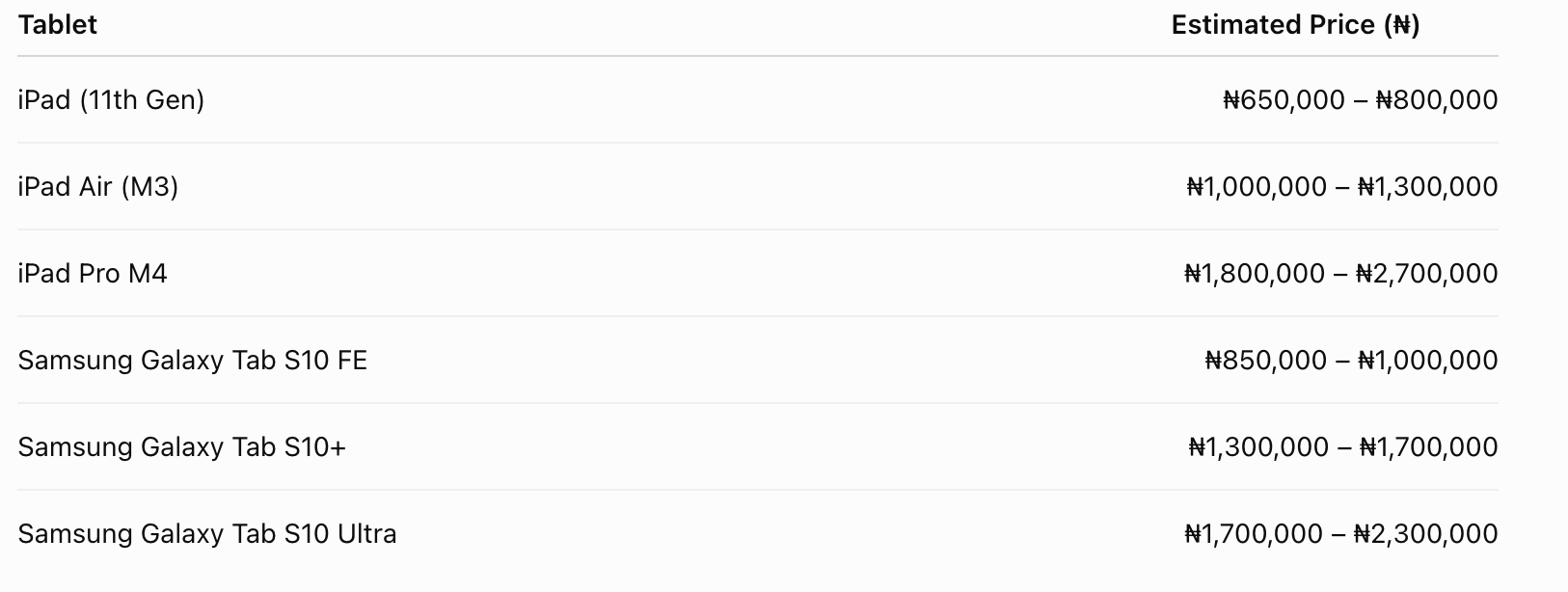
Which Offers Better Value in Nigeria?
If you're spending around ₦900,000, Samsung often provides more accessories out of the box, including the S Pen.
Apple, on the other hand, tends to offer:
Longer software updates
Better resale value
More professional creative applications
Your decision should depend on how you plan to use the tablet rather than just the specifications.
Frequently Asked Questions
Which tablet lasts longer?
Apple typically provides software updates for many years, helping iPads stay supported for a long time.
Is Samsung better for students?
Samsung offers excellent value, especially because many Galaxy Tab models include the S Pen without extra cost.
Which tablet is best for drawing?
The iPad Pro paired with the Apple Pencil remains a favourite among many digital artists thanks to its responsive hardware and creative software ecosystem.
Which tablet is best for watching movies?
Samsung's AMOLED displays deliver rich colours, deep blacks, and an excellent viewing experience for streaming content.
Final Thoughts
Apple and Samsung continue to dominate the premium tablet market, but they excel in different areas.
If you prioritize creative work, long-term software support, and raw performance, the iPad lineup is hard to beat. For professionals editing videos, artists using advanced drawing apps, or users already invested in Apple's ecosystem, an iPad is an excellent investment.
On the other hand, if you want better multitasking, a stunning AMOLED display, and a stylus included without extra cost, Samsung's Galaxy Tab series delivers outstanding value, especially for students, business users, and entertainment enthusiasts.
Ultimately, the best tablet isn't simply the most expensive one. It's the one that fits your workflow, your budget, and the devices you already use every day.
Advertisement
Responsive
Related Articles
MacBook Screen Goes Black When You Open It Wide? It Might Not Be the Motherboard (Flexgate Explained)
If your MacBook screen works only at certain angles or goes black when you open the lid fully, you may be dealing with the Flexgate display issue—not a motherboard fault. Here's what you need to know before paying for repairs.
Apple Finally Gives Siri the AI Upgrade It Needed But Is It Too Late?
Apple's biggest Siri update ever arrives with iOS 27, bringing natural conversations, personal context, and app control. But in a world of AI agents and coding assistants, is it enough?
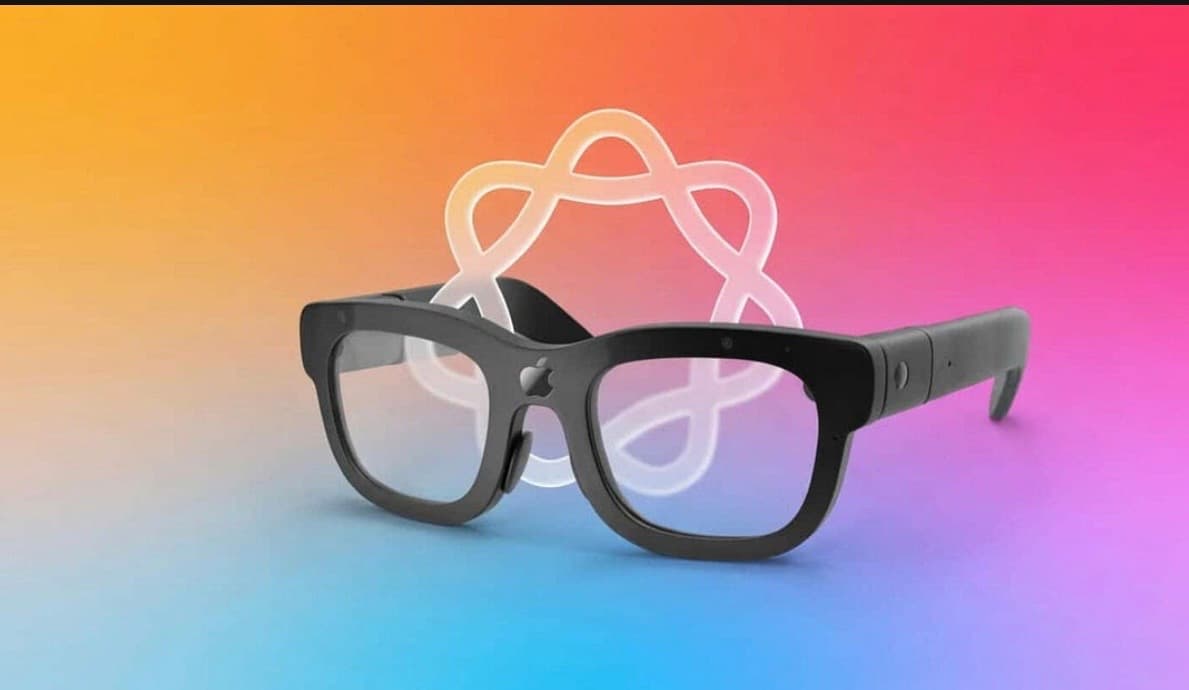
Apple's Future Smart Glasses Could Become Your Personal Health Coach
Apple is reportedly developing health and fitness features for its future AI smart glasses. Here's how they could monitor workouts, heart rate, and daily activity without using a display.
Advertisement
728x90
Comments (0)
Leave a comment
Comments cannot be edited or deleted after posting. Please review your comment before submitting.
No comments yet. Be the first to share your thoughts!