Build Your Own Local AI Agent in 2026: A Beginner's Guide for Africans
Learn how to run your own AI assistant locally using open-weight models like Qwen and Gemma with OpenClaw. Automate emails, documents, coding, and business tasks—even on budget laptops.

Why Everyone Is Talking About Local AI Agents
Over the past year, AI has shifted from simple chatbots to AI agents systems that can carry out tasks on your computer with minimal supervision.
Imagine telling your AI:
Every morning at 8 AM, check my emails, summarize the important ones, create today's to-do list, and notify me if a customer hasn't replied.
or
Download today's crypto prices, update my spreadsheet, write a short market report, and publish it to my website.
These are the kinds of workflows modern AI agents can handle.
The biggest trend in 2026 is that you no longer need an expensive cloud subscription to get started. Thanks to the rise of open-weight models such as Qwen, Gemma, and Kimi K3, developers can run capable AI models locally or in hybrid setups. Kimi K3 has helped push open-weight AI into the mainstream, while Google and Alibaba continue to release increasingly efficient models that are easier to deploy.
What Is a Local AI Agent?
A local AI agent is software that runs on your own computer instead of relying entirely on cloud services.
Unlike a chatbot, an AI agent can:
Read files
Search folders
Write documents
Automate repetitive tasks
Use your browser
Execute scripts
Manage projects
Help with coding
Connect to apps like Telegram or Gmail (with permission)
Because everything runs on your machine, you keep more control over your data and can reduce recurring API costs.
Why This Matters for Africa
Many developers and entrepreneurs across Africa use laptops with:
8GB RAM
16GB RAM
Older Intel Core i5 processors
Ryzen 5 processors
The good news? You don't need a workstation to begin experimenting. Modern lightweight models are designed to run on modest hardware, although larger models will perform better on systems with more RAM or dedicated GPUs.
Beginner Setup Budget Laptop
If your laptop has:
8GB RAM
Intel Core i5/Ryzen 5
SSD storage
Start with smaller open models such as:
Google Gemma (smaller variants)
Qwen 2.5/3 lightweight models (1B–4B class)
DeepSeek distilled models
These models are ideal for:
Note-taking
Email drafting
Coding assistance
Content writing
Translation
Learning programming
While they won't match the reasoning power of frontier models, they are surprisingly capable for everyday productivity.
Mid-Range Setup
Recommended hardware:
16GB–32GB RAM
Intel Core Ultra / Ryzen 7
RTX 3060 or newer GPU (optional)
You can comfortably run larger local models and more capable coding assistants, making them suitable for:
Website development
Business automation
Document analysis
Research
Customer support
High-End Setup
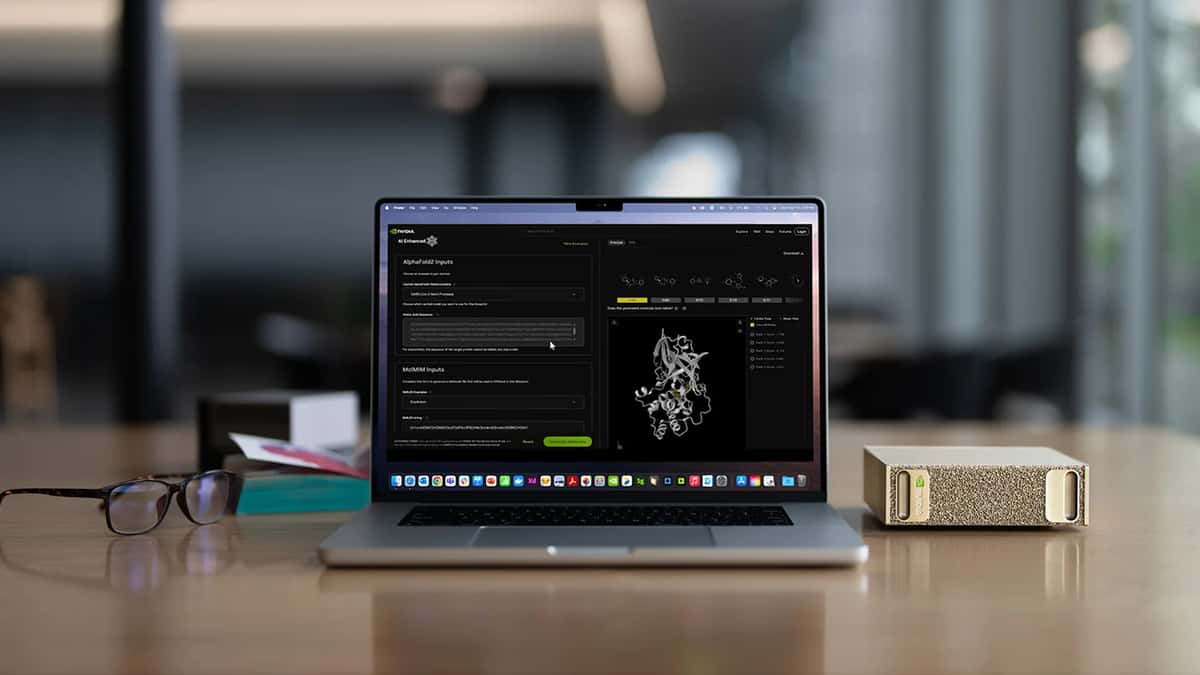
If your budget allows, devices like the NVIDIA DGX Spark are designed specifically for local AI development and can run significantly larger models and autonomous agents without relying on cloud inference. NVIDIA also provides guides for deploying OpenClaw and related tooling on the platform.
Software You'll Need
A beginner-friendly stack looks like this:
1. Ollama
Ollama makes downloading and running local language models simple.
Examples:
Qwen
Gemma
DeepSeek
Llama
2. Open WebUI
Provides a clean ChatGPT-like interface for your local models.
3. OpenClaw
OpenClaw is a local-first AI agent that can remember context, automate tasks, and be extended with community "skills." It can be connected to local models or cloud models, depending on your setup.
4. Docker (Optional)
Useful for running AI tools in isolated containers.
What Can Your AI Agent Actually Do?
Once configured, your agent can help with many everyday tasks.
Content Creator
Write blog posts
Generate YouTube scripts
Create LinkedIn posts
Summarize research
Small Business
Reply to customer emails
Draft invoices
Organize documents
Generate quotations
Programmer
Write code
Fix bugs
Explain errors
Generate documentation
Student
Summarize PDFs
Create study notes
Generate flashcards
Explain difficult concepts
Office Worker
Schedule meetings
Summarize emails
Prepare reports
Create presentations
A Simple Automation Example
Imagine you run an online gadget store.
Instead of manually checking prices every day, you could instruct your AI agent to:
Review your spreadsheet of products.
Compare prices with your latest supplier list.
Highlight items with price changes.
Draft a report for review.
Notify you of products that need updating.
For bloggers, a similar workflow could gather technology headlines, organize them by topic, and prepare article outlines for human review.
Things to Keep in Mind
Local AI agents are powerful, but they're not magic.
Smaller models make more mistakes than frontier cloud models.
Complex automations may require some technical setup.
Agents that can access files, browsers, or email should only be granted permissions you trust them with.
Start with read-only tasks before allowing an agent to modify files or send messages automatically.
Frequently Asked Questions
Can I run an AI agent on an 8GB RAM laptop?
Yes. Smaller open models are suitable for writing, coding assistance, note-taking, and lightweight automation. More demanding models benefit from additional memory and GPU resources.
Do I need an NVIDIA GPU?
No. You can start on a CPU-only laptop, although responses will be slower. A dedicated GPU significantly improves performance.
Is OpenClaw free?
OpenClaw is open source and designed to run locally. It can be paired with local models or cloud services, depending on your preferences.
Should I use local AI or ChatGPT?
Both have strengths. Local AI gives you greater privacy and avoids ongoing API costs, while cloud models generally provide stronger reasoning and require no hardware setup.
Final Thoughts
Local AI is becoming one of the most exciting trends in technology. With the rapid progress of open-weight models and agent frameworks, individuals and businesses no longer need enterprise budgets to begin automating repetitive work.
For many Africans using everyday laptops, the best approach is to start small: install a lightweight local model, experiment with simple automations, and gradually expand as your hardware and experience grow. As your needs increase, you can move to more capable models or adopt a hybrid setup that combines local privacy with the power of cloud AI when needed.
The key takeaway is simple: AI agents are no longer just for large tech companies—they're becoming practical tools for students, freelancers, entrepreneurs, and small businesses across Africa.
Read more: How to Become a Cloud & AI Infrastructure Architect: 5 Projects That Can Prepare You for the AI Computing Boom
Read more: How Founders and Students Can Build Businesses With Coding Agents

Author
Azeez LiadiAzeez is an AI Engineer, Data Scientist, founder, and Senior Tech Writer at Afritech Connect. A top 1% graduate of Lagos State University, he has worked with international startups and… Explore author & articles